Parts warehouse system
Parts Inventory Count
Coordinates a physical parts warehouse count across several people working simultaneously and tracks the resolution of every discrepancy.
- parts per dealership location
- 40,000+
- operators counting in parallel
- up to 10
- modes: guided and blind
- 2
- discrepancy causes
- 6
Problem
A parts warehouse manages thousands of item codes, some counted individually and others in bulk. A team of several people performs the count, often with support from outside staff, and each discrepancy requires an individual explanation before an adjustment can be made.
Solution
The inventory is divided among participants, with each person's progress visible. Items are located by scanning barcodes, and every discrepancy is classified by cause and assigned to the person responsible for resolving it.
Outcome
Up to ten operators count in parallel without duplicating aisles, and every discrepancy is classified and resolved before completion.
My role
I designed and built the complete inventory workflow, location assignments, barcode scanning, and discrepancy management.
How it works
The application divides the warehouse among several operators and requires every discrepancy to be resolved before completion.
Scroll horizontally to view the full diagram.
The system in operation
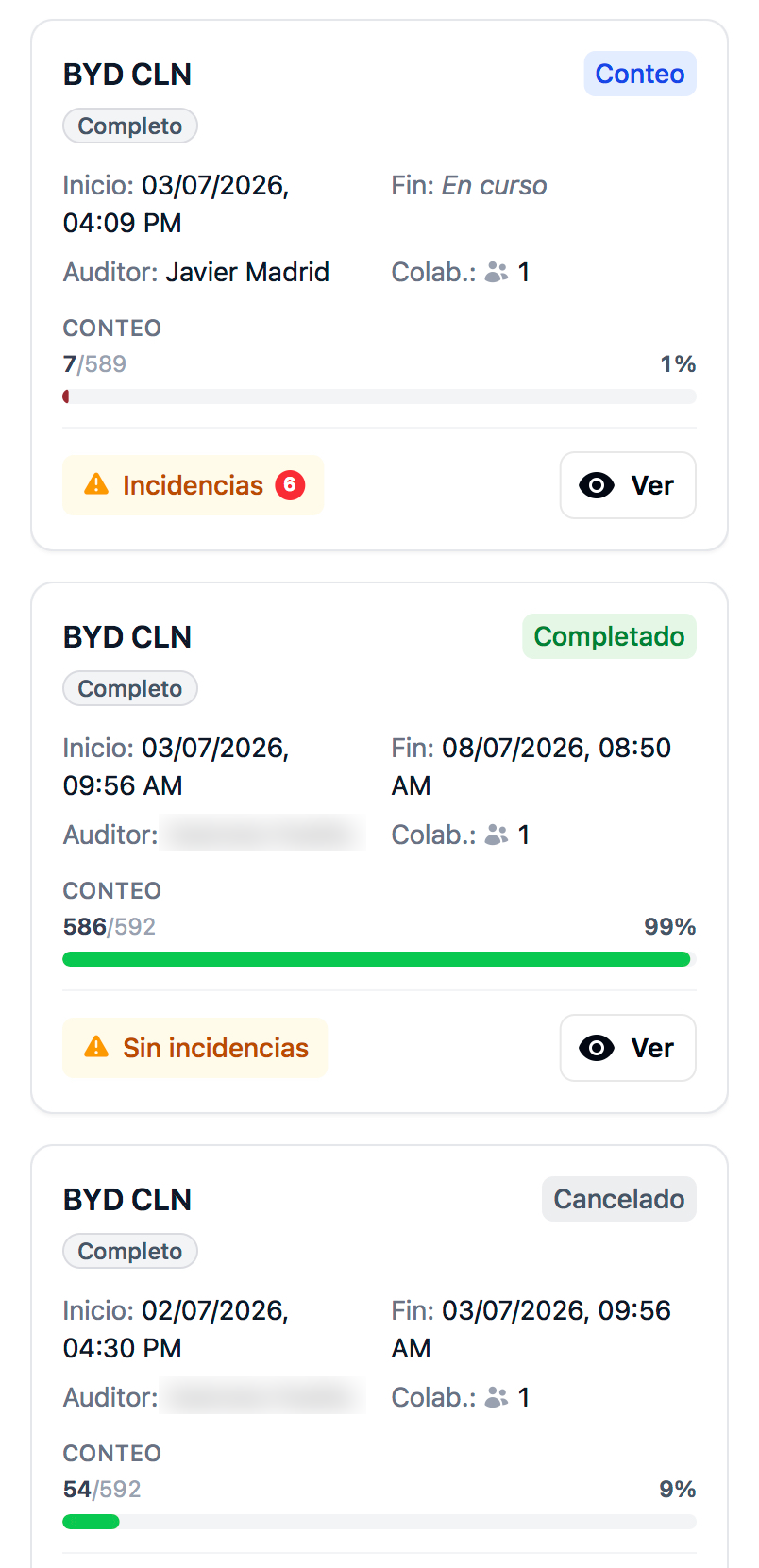
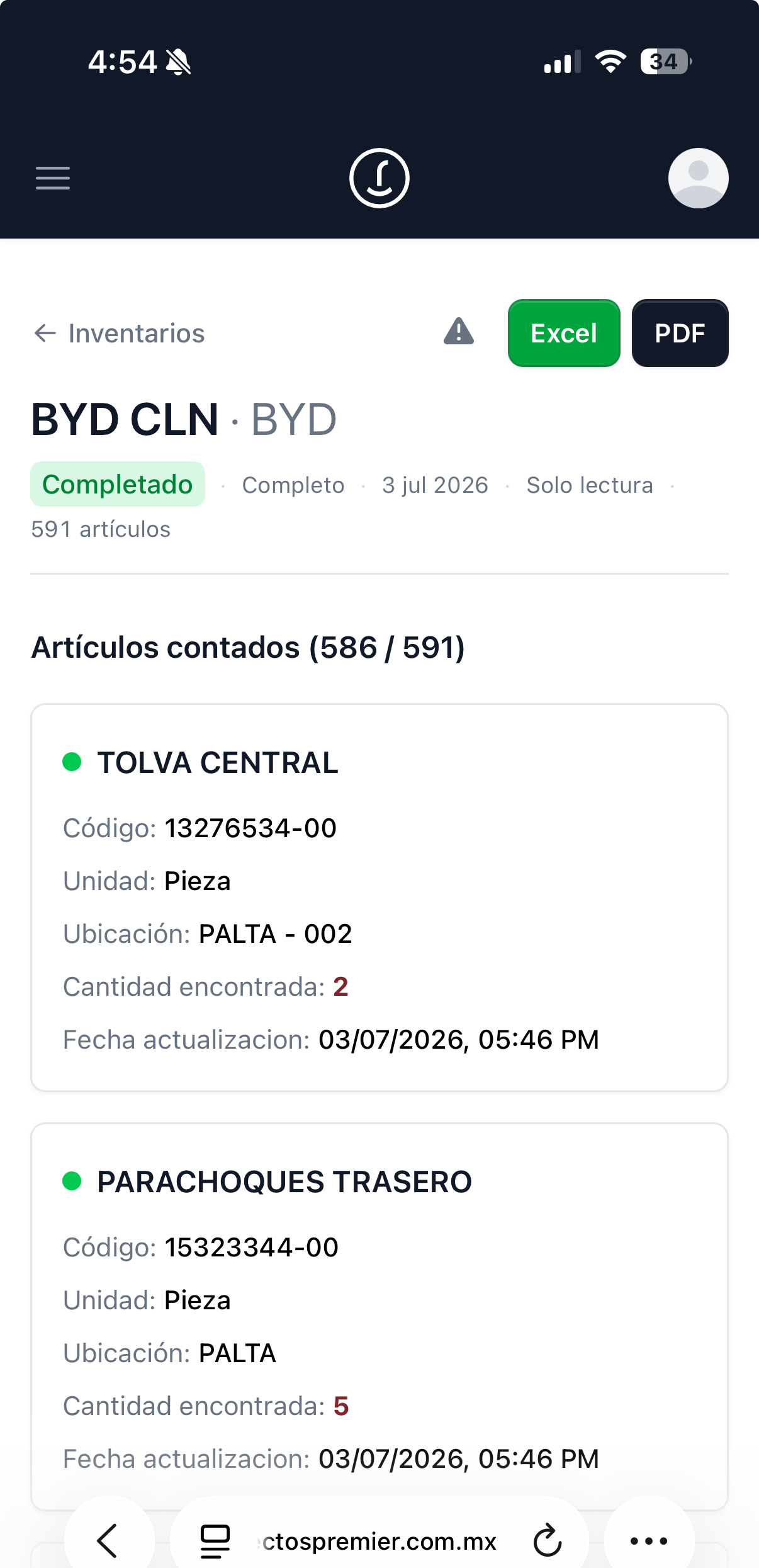
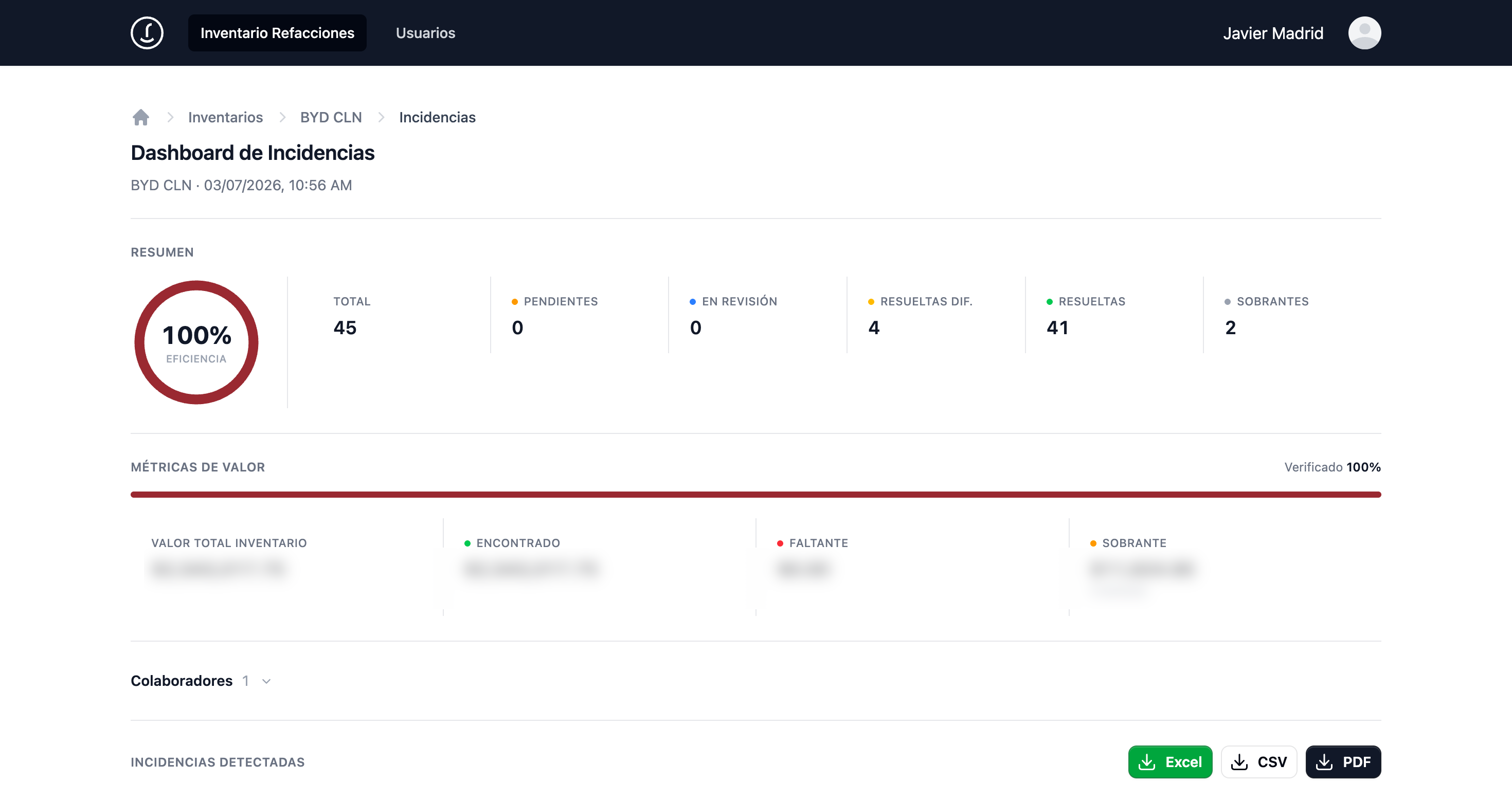
The count is performed on a phone on the warehouse floor, then closed by the corporate team with an audited result and an explanation for every discrepancy.
On the warehouse floor
At the corporate office
Images open full-size in a new tab.
Key functions
- The same inventory supports up to ten simultaneous operators. The system assigns complete warehouse locations to active participants, so no two people count the same aisle.
- Count type and count mode are independent: the type can be full, random sample, or test; the mode can be guided or blind —the operator cannot see the expected quantity, an audit practice that reduces confirmation bias.
- Outside staff can join by invitation without a corporate account.
- Barcode scanning with the browser camera and integration with Zebra mobile computers—standard equipment in warehouse operations—that enter the code as keystrokes. Both methods feed the same verification workflow.
- Records decimal quantities for bulk items measured by volume or weight.
- Incremental counting: when a code has already been verified, the application shows the previous quantity and adds the new one for items stored in several warehouse locations.
- Warehouse coordinates—aisle, rack, and level—recorded for every item.
- Discrepancies classified by type—quantity difference, overage, or incorrect location—and by cause.
- Tracks each discrepancy by status with a resolution log.
- Discrepancy dashboard for each inventory with an efficiency rate, status breakdown, and valuation of shortages and overages.
- Exports results to Excel, CSV, and PDF.
- A documented custom design system applied consistently throughout the interface.
Technical details
- Backend
- NestJS 10 · TypeORM · PostgreSQL 15
- Frontend
- React 18 · Vite · Tailwind CSS 4 · TanStack Query
- Infrastructure
- Elastic Beanstalk · dedicated RDS PostgreSQL · S3
- Data source
- DMS item catalog and on-hand stock